Updated October 31, 2026
Gems, Spins and Achievements
Check the free reward routes listed by the developer and recognize the lobby controls shown in gameplay.
Quick answer
The official description lists gems from codes, the prize wheel and achievements. The reviewed lobby has a prize wheel and achievements menu. Check reward availability before you spend gems.
Work through the steps
Use the current game interface when it differs from recorded gameplay.
Where the free gems come from
Check codes, achievements and wheel availability.
- Success check
- You can identify which advertised reward is currently offered.
- If it remains unclear
- Keep the unspecified community reward separate from known gem sources.
Read the supporting evidence
§Where the free gems come from#
The developer advertises free-gem codes, gems from achievements and gems or rare rewards on the prize wheel. Roblox Premium players are advertised to receive 20% more gems and one extra free spin each day.
Joining the FunkyInc. community is also advertised to grant a free reward, but the description does not identify its contents. Keep that reward separate from the specific gem sources above.
Check the wheel before buying spins
Read the wheel prompt and available-spin counter.
- Success check
- A spin shows its result and changes the relevant counter.
- If it remains unclear
- Avoid a purchase control when you only intend to use a free spin.
Read the supporting evidence
§Check the wheel before buying spins#
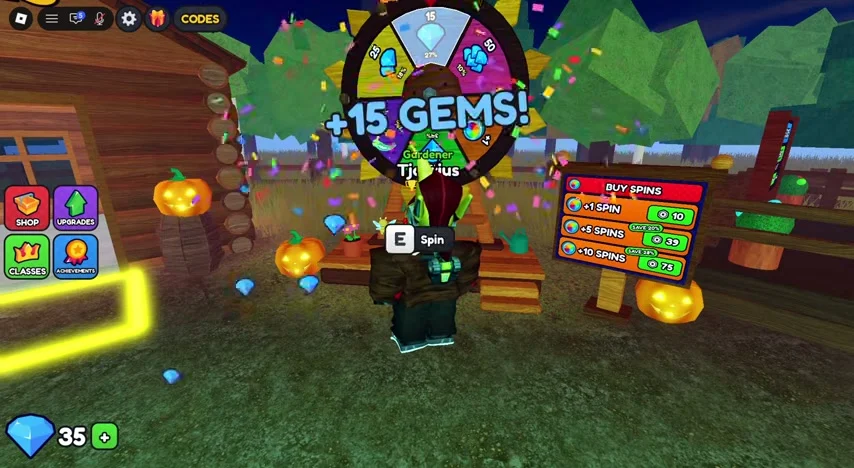
The reviewed lobby recording shows the player beside a wheel with an E Spin prompt and a result of +15 GEMS. It illustrates a possible recorded result. The footage does not establish the current probability of any wheel reward.
Read the available-spin counter and any cost shown in your current interface. Use a free spin when available; a control that offers more spins can lead to a separate purchase. The guide does not require buying spins.
Collect completed achievements
Inspect completed achievements and claim states.
- Success check
- The interface shows completed progress and the offered reward.
- If it remains unclear
- Check the current daily panel instead of relying on the old schedule.
Read the supporting evidence
§Collect completed achievements#
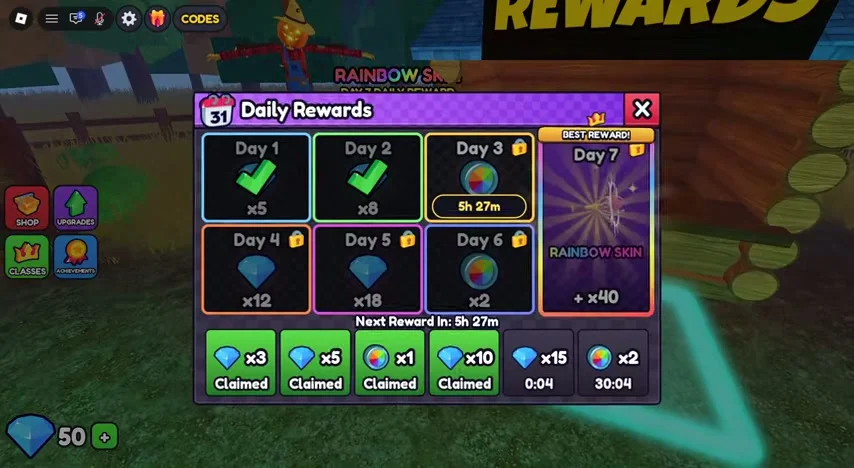
Open the achievements interface and inspect completed objectives. The Phone Home example displays a completed 1/1 objective after the phone run. A separate daily-rewards panel also appears in the recorded lobby.
Review the current claim state and reward before using a control. The footage does not establish today’s entire daily reward schedule, so an old screenshot should not be treated as a guaranteed daily payout table.
Decide before spending gems
Read a gem purchase description before spending.
- Success check
- The current effect and cost are clear.
- If it remains unclear
- Keep gems unspent while class effects or costs remain uncertain.
Read the supporting evidence
§Decide before spending gems#
The reviewed lobby includes a CLASSES sign, and gems have their own counter. A complete verified class list, class costs and current gem-shop effects are still missing.
Keep enough gems unspent while you read the actual option descriptions. This guide does not name a best class or claim an upgrade requires gems without a matching source. Cash purchases for tools, bags and the three observed upgrades are covered separately.
Scope and sources
Official details and recorded gameplay checked October 31, 2026.
- Screenshots show community gameplay. Prices, menus and objectives may change after updates. Latest official description checked October 31, 2026.