
Updated October 31, 2026
Getting Started: Your First Cut and Sale
Follow the first upgrade prompts, empty a full bag and keep the lawn-clearing loop moving.
Quick answer
Use the starter clippers on the tall grass. When the tutorial says you can afford the next tool, follow its arrows to the TOOL SHED. Sell a full bag at DROP-OFF before cutting again.
Work through the steps
Use the current game interface when it differs from recorded gameplay.
1. Clip the nearby grass
Clip the nearby tall grass with the equipped tool.
- Success check
- The bag counter increases.
- If it remains unclear
- Approach a patch with empty bag space and check the tool is equipped.
Read the supporting evidence
§1. Clip the nearby grass#
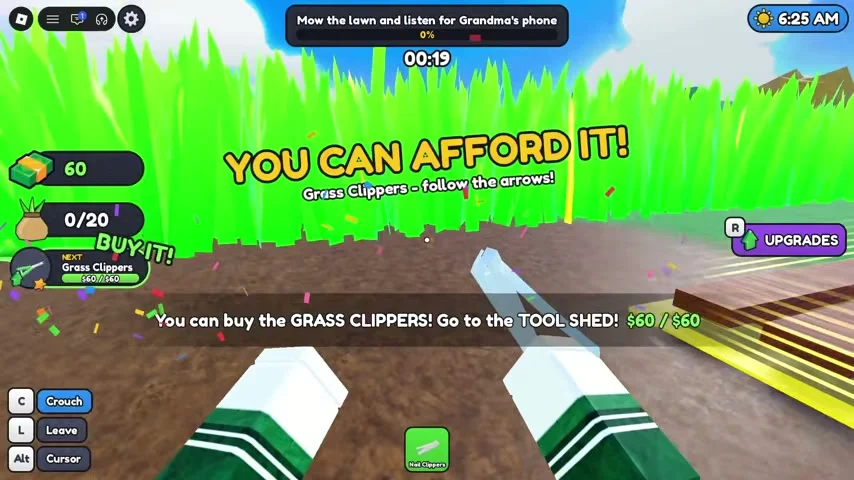
The reviewed PC recording starts with the starter clippers in hand and a bag counter at the left of the screen. Move toward tall grass and use the tool while watching that counter. The current objective appears across the top.
The early tutorial displays a message when the next item is affordable. One recorded prompt points to GRASS CLIPPERS in the TOOL SHED, with arrows showing the route. Follow your server’s prompt for its current cost and next item.
2. Take a full bag to DROP-OFF
Travel to the DROP-OFF marker when the bag fills.
- Success check
- The bag counter drops and cash increases.
- If it remains unclear
- Move closer to the marked selling point and recheck the counter.
Read the supporting evidence
§2. Take a full bag to DROP-OFF#
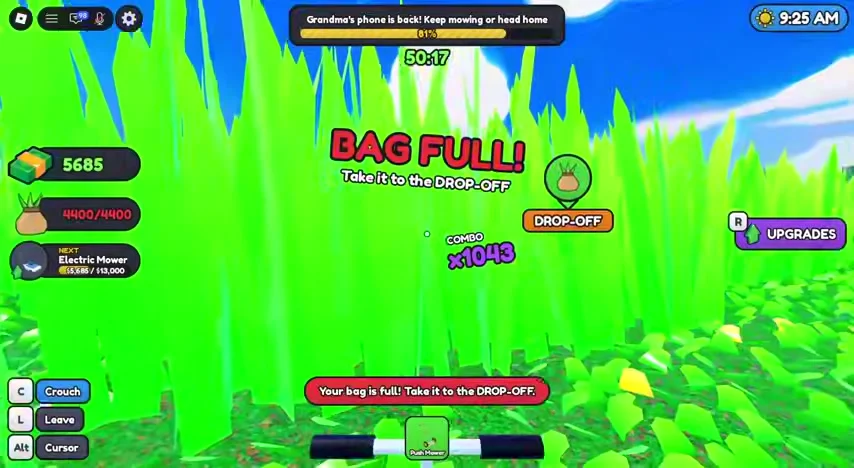
When the bag reaches its limit, a red BAG FULL warning and DROP-OFF marker appear. Stop trying to collect and travel to that marker. In the footage, emptying the bag restores space for more clippings and increases the cash balance.
Confirm the bag counter has fallen before leaving the drop-off area. If BAG FULL remains visible, move closer to the marked collection point and check the counter again. The warning is a useful sign that the sale has not registered yet.
3. Follow the early equipment prompts
Follow the next affordable purchase prompt to the shed.
- Success check
- The tool name or bag maximum changes.
- If it remains unclear
- Sell another load and compare the displayed price before buying.
Read the supporting evidence
§3. Follow the early equipment prompts#
The recording moves from a small starter bag to a Sack and later shows Hand Shears. Upgrading a tool improves the cutting side of the loop, while a larger bag lets you stay in the lawn longer between sales.
Use the displayed affordability prompt to avoid wandering through the entire shop. After a purchase, check the tool name or bag capacity shown at the left, return to the grass and repeat the cut, sell and upgrade cycle.
PC controls visible in the recording
Read the device controls on the current screen.
- Success check
- You can switch between viewing and interacting with menus.
- If it remains unclear
- Use the current device prompt when it differs from the PC recording.
Read the supporting evidence
§PC controls visible in the recording#
The footage labels C as Crouch, L as Leave and Alt as Cursor. These labels describe that recorded PC interface. Touch and controller controls should be read from the current game screen.
Use the cursor control when you need to interact with a menu while the view is captured. Avoid Leave until you are ready to end that lawn session; the reviewed footage does not establish what unfinished progress is retained after leaving.
Scope and sources
Official details and recorded gameplay checked October 31, 2026.
- Screenshots show community gameplay. Prices, menus and objectives may change after updates. Latest official description checked October 31, 2026.