
Updated October 31, 2026
Tools and Bags: Fix the Slow Part of Your Run
Choose equipment by the problem you are facing: slow cutting or frequent full-bag trips.
Quick answer
Buy tools with cash from selling grass. Look under TOOLS and BAGS in the shed. A stronger tool helps clear grass; a bigger bag reduces trips to DROP-OFF.
Work through the steps
Use the current game interface when it differs from recorded gameplay.
Use the TOOL SHED
Open TOOLS or BAGS in the shed.
- Success check
- The selected item name and price appear.
- If it remains unclear
- Use the tab and browsing arrows to locate the intended item.
Read the supporting evidence
§Use the TOOL SHED#
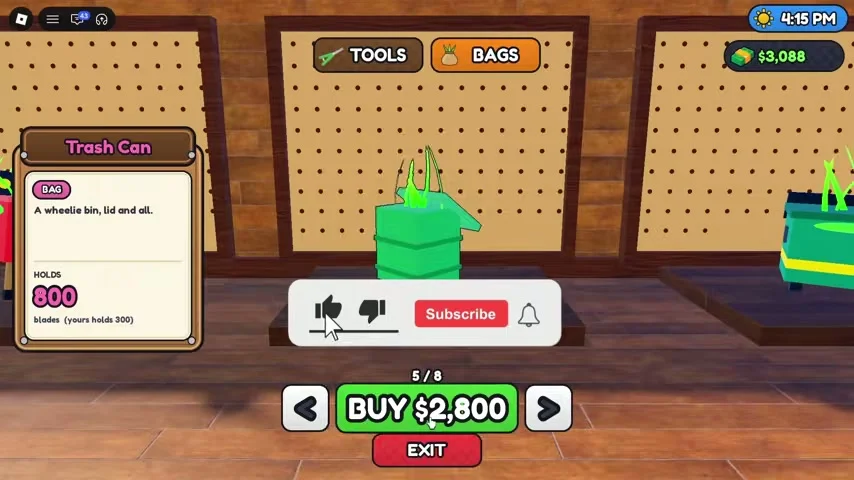
Follow the tutorial arrows to the shed when it announces an affordable tool. The shop has separate TOOLS and BAGS tabs. The reviewed bag screen uses left and right arrows to browse items and a green BUY control for the selected item.
Read the selected item’s name and capacity before purchasing. The recording shows a Trash Can bag with an 800 capacity and a $2,800 button, but those are recorded values. Your server’s displayed price is the one to use.
When to buy a better tool
Compare the next affordable tool with the equipped one.
- Success check
- A purchase changes the displayed equipment.
- If it remains unclear
- Keep cutting and selling until the displayed cost is covered.
Read the supporting evidence
§When to buy a better tool#
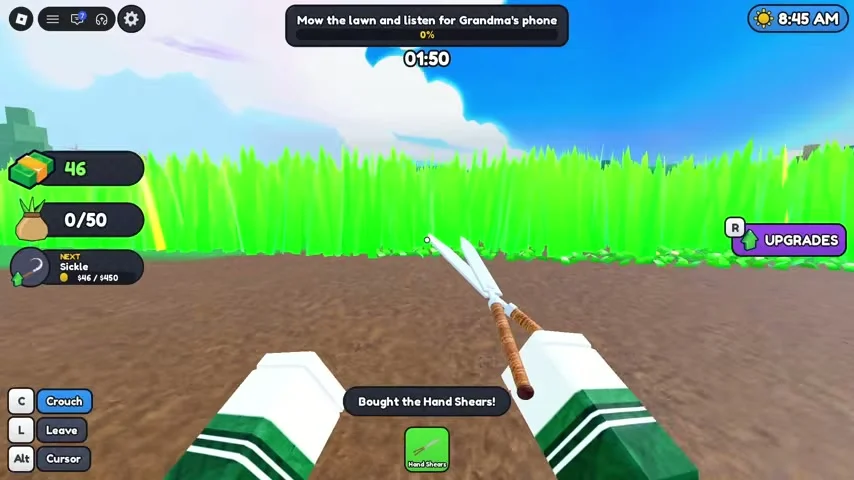
If the bag has plenty of room and cutting feels slow, inspect the next tool you can afford. Recorded equipment includes starter clippers, Hand Shears, a Hedge Trimmer and an Electric Mower. The official description advertises 20 tools in total.
A sensible checkpoint is a short cutting trip after the purchase: confirm the equipped tool changed, cut a patch and compare how long it takes to fill the current bag. A complete current tool-price ladder has not been verified, so this guide avoids a fabricated ranking.
When to buy a bigger bag
Compare the next bag capacity with the current counter.
- Success check
- A purchase increases the bag maximum.
- If it remains unclear
- Check the selected bag and purchase state before leaving the shed.
Read the supporting evidence
§When to buy a bigger bag#
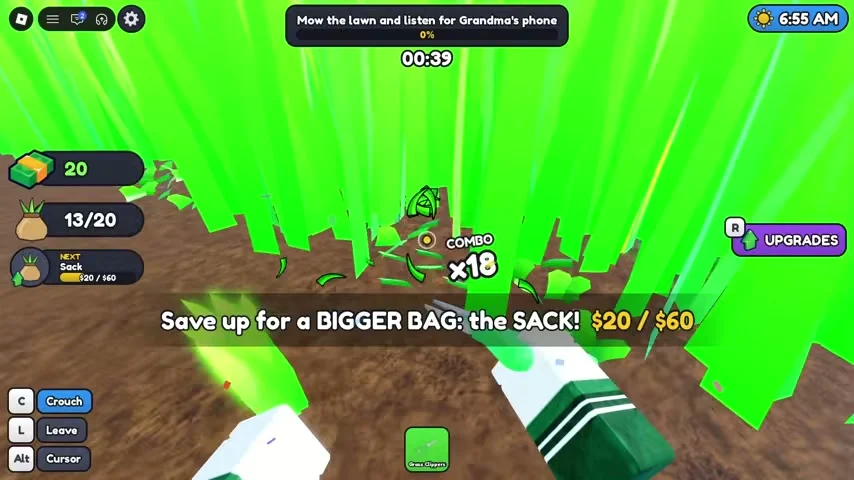
If the red full-bag warning keeps interrupting your cutting, compare the next bag with your current capacity. The early recording explicitly tells the player to save for a bigger Sack.
Sell first, enter BAGS, compare the capacity with the counter you already have and purchase when affordable. Check the new capacity after leaving the shop. Bigger bags and the Deep Pockets upgrade both address carrying space, so compare the visible cost of the next improvement.
Golden grass and sale value
Read the golden-grass message before estimating a sale.
- Success check
- You can distinguish a recorded value bonus from an ordinary clipping.
- If it remains unclear
- Leave unverified spawn rates and other multipliers out of the estimate.
Read the supporting evidence
§Golden grass and sale value#
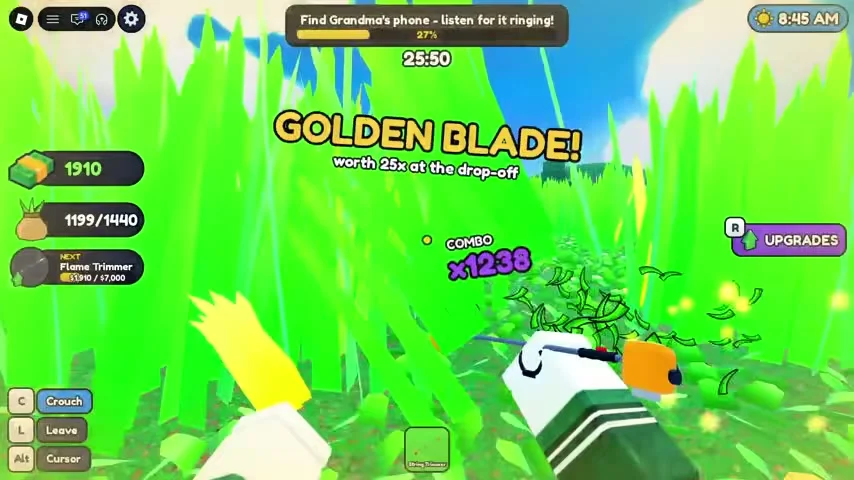
A visible GOLDEN BLADE message in the reviewed footage says the grass is worth 25x at the drop-off. Treat that as an observation from the recording. It explains why the sale value can vary between apparently similar trips.
The recording does not establish current golden-grass spawn rates. A guide found during research also claims a rainbow multiplier, but that figure is left out here until a matching game screen or official source confirms it.
Scope and sources
Official details and recorded gameplay checked October 31, 2026.
- Screenshots show community gameplay. Prices, menus and objectives may change after updates. Latest official description checked October 31, 2026.